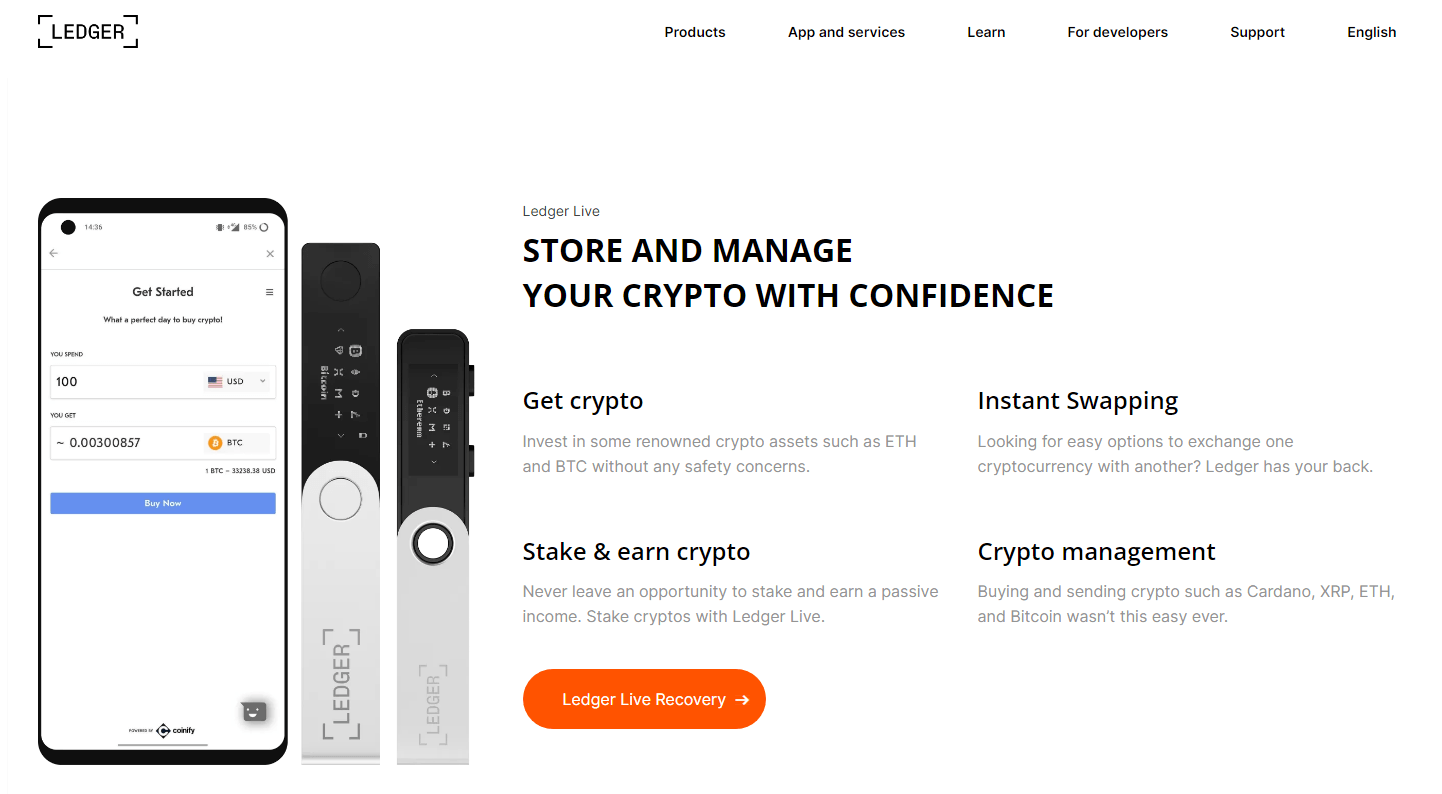
Ledger.com/start – A Complete Guide to Setting Up Your Ledger Hardware Wallet
Cryptocurrency security is an important part of managing digital assets. Whether you are new to Bitcoin or already familiar with blockchain technology, protecting your private keys should always be a priority. A hardware wallet offers an additional layer of protection by keeping private keys away from ordinary internet-connected devices.
Ledger.com/start is the official starting point for users who want to set up their Ledger hardware wallet and begin managing their cryptocurrency securely. It provides access to the setup process and the official Ledger Wallet application, helping users understand how to configure their device and connect it to their crypto accounts.
What Is Ledger.com/start?
Ledger.com/start is a setup resource designed for people who are beginning their journey with a Ledger hardware wallet. It helps users access the necessary software and follow the initial configuration process.
A Ledger hardware wallet is a physical device designed to protect the private keys associated with cryptocurrency accounts. Instead of keeping these keys directly on a computer or smartphone, the device stores them in a secure environment.
The official setup process helps users prepare their device, create a security PIN, back up their recovery phrase, and connect their wallet to the Ledger Wallet application.
Why Is Ledger Hardware Wallet Setup Important?
Setting up a hardware wallet correctly is essential for maintaining control over digital assets. A wallet may provide advanced security features, but users must also follow safe practices during installation and everyday use.
A properly configured Ledger device can help users:
Keep private keys protected within the hardware device.
Review and approve transactions directly on the device.
Manage supported cryptocurrency accounts through Ledger Wallet.
Monitor balances and transaction history.
Maintain access to their accounts using a secure recovery backup.
Understanding these features before using a wallet can help beginners avoid common mistakes.
How to Get Started at Ledger.com/start
The initial setup process is designed to guide users through the basic configuration of their Ledger device. Follow these general steps to get started.
Step 1: Visit the Official Setup Page
Open your browser and enter the official address:
Always check the website address carefully before downloading software. Avoid sponsored links, unfamiliar websites, or messages that direct you to unofficial wallet downloads.
Step 2: Download Ledger Wallet
Ledger Wallet, previously known as Ledger Live, is the official application used to manage supported crypto accounts with a Ledger device.
Download the application through Ledger's official website or the verified app store for your mobile device. Select the version compatible with your operating system.
After downloading, install the application and open it to continue.
Step 3: Prepare Your Ledger Device
Connect or power on your Ledger hardware wallet according to the instructions for your particular model.
During the setup process, the device will guide you through its initial configuration. Follow the instructions displayed on the device itself and within the official application.
If you are setting up a new wallet, choose the option to create a new wallet rather than restoring an existing one.
Step 4: Create a Secure PIN
Your PIN helps prevent unauthorized access to your physical Ledger device.
Choose a PIN that is difficult for others to guess. Do not use obvious combinations such as repeated digits or personal information.
Keep your PIN private and never share it with another person.
Step 5: Secure Your Secret Recovery Phrase
During the creation of a new wallet, your Ledger device generates a Secret Recovery Phrase. This phrase is generally made up of 24 words and provides a way to restore access to your wallet.
Write the words down exactly as displayed on the device and store them in a secure offline location.
Never photograph your recovery phrase, upload it to cloud storage, or enter it into a website. Anyone who obtains your recovery phrase may be able to access your cryptocurrency.
Ledger support will never require you to reveal your recovery phrase.
Connecting Ledger Wallet to Your Crypto Accounts
Once your device is configured, you can use Ledger Wallet to manage supported cryptocurrency accounts.
Open the application, connect and unlock your Ledger device, and install the required blockchain application when prompted.
For example, managing Bitcoin generally requires the Bitcoin application on your device. Other cryptocurrencies may require their own blockchain applications.
You can then add supported accounts to view balances, receive funds, and prepare transactions.
Remember that cryptocurrency is recorded on its respective blockchain. Your Ledger device protects the private keys that authorize access to those assets.
Important Security Tips for Ledger Users
Security does not end after the initial setup. Good habits are necessary to protect your wallet over time.
Always verify the recipient address and transaction details on your Ledger device before approving a transaction. Keep your device firmware and Ledger Wallet application updated through official channels.
Do not trust unexpected messages claiming that your wallet requires urgent verification. Be cautious of fake support accounts, phishing emails, and websites requesting your recovery phrase.
If you receive a recovery phrase from someone else or find it stored online, do not use it as your personal wallet backup.
Conclusion
Ledger.com/start provides a convenient starting point for users who want to configure their Ledger hardware wallet and begin managing digital assets. By following the official setup instructions, downloading Ledger Wallet from a trusted source, and protecting your Secret Recovery Phrase, you can establish a safer foundation for cryptocurrency management.
A hardware wallet is most effective when combined with responsible security practices. Take your time during setup, verify every important instruction, and keep your recovery information private.
With careful preparation and regular security awareness, beginners can develop confidence in managing their cryptocurrency accounts while maintaining control over their digital assets.